

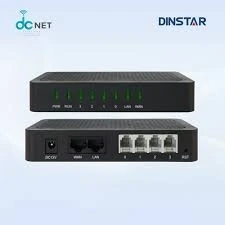
Top Features of Dinstar FXS Gateways That Help Call Centers
Call centers need to use the latest technology to stay effective and efficient. One important tool is the Dinstar FXS Gateway. This device connects traditional phone systems to modern VoIP networks, making communication easier. Here are some key features of Dinstar FXS Gateways that are particularly helpful for call centers: 1. Clear Voice Quality Dinstar...
Start with the equipment you already have
Before selecting a gateway, list every connection that needs to remain available: carrier lines, desk phones, fax machines, intercoms, and any existing PBX. FXS connects analog endpoints to an IP voice service, while FXO connects an analog carrier line or PBX extension to an IP network. Hybrid deployments can combine both kinds of connection, but the exact port mix should follow the inventory rather than a guess.
Also record how calls move today. Note which numbers are inbound, how staff make outbound calls, which extensions need to reach each other, and what should happen if the IP link is unavailable. This simple call-flow map helps the implementation team preserve familiar behavior during a migration.
Check capacity and compatibility
Port count and concurrent calls are different sizing questions. A site may have many attached lines but only a smaller number of simultaneous conversations; estimate both from real usage and allow room for busy periods. Confirm the signaling, codecs, dial plan, caller ID expectations, and SIP settings with the PBX or service provider before deployment.
Test the less frequent but important cases as well: fax behavior if fax is in scope, emergency and after-hours routing, inbound caller identification, and recovery after a network interruption. A staged cutover with a rollback plan reduces disruption and gives staff time to verify everyday call flows.
Design around customer experience
A successful communication deployment depends on matching the technology to real-world call flows, existing systems, and the people who support them. Use these points as a starting checklist:
- Forecast peak call and message volumes and the staffing needed to handle them.
- Connect communication channels with the CRM and reporting workflows agents already use.
- Set access, retention, and escalation policies that meet applicable compliance needs.
Test the proposed setup with representative traffic and document the final configuration before rollout. A staged deployment makes it easier to confirm call quality, interoperability, and recovery procedures while keeping existing services available.
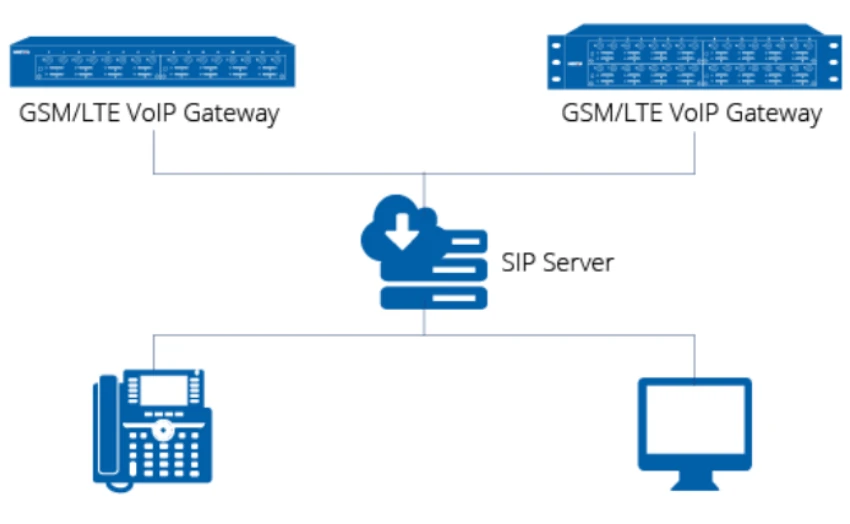
Why VoIP Gateways are the Key to Flexible Call Center Solutions for Small Businesses in India.
For small businesses in India, building a call center can feel like a huge investment. Traditional setups require a lot of infrastructure and upfront costs, making them challenging for...

Maximizing Customer Engagement: Using VoIP and SMS for Effective Communication.
As the business world changes quickly. Staying connected with customers is essential. Indian companies are using VoIP call centers and SMS gateways. They aim to boost communication and...