
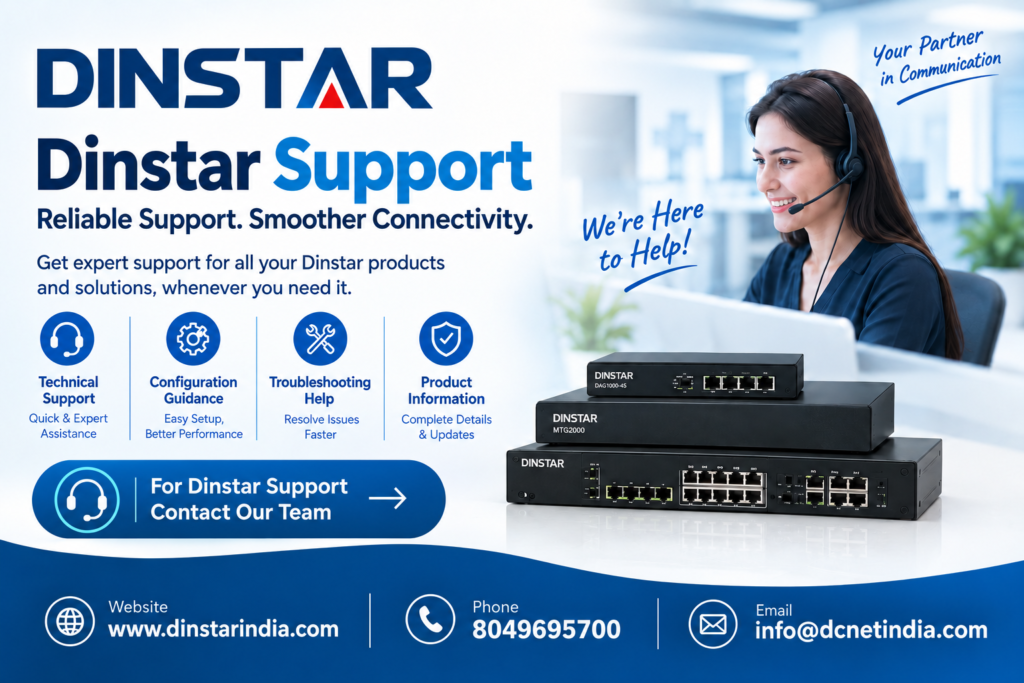
Email : info@dcnetindia.com
Dinstar Support : +91 8049695700 / 8123067000
Location : 3rd Floor, No 28, DCNET Building, 5th Cross, 6th Main Rd, BTM 2nd Stage, Bengaluru, Karnataka 560076
In today’s business world, reliable communication is essential for keeping operations running smoothly and providing better customer service. Businesses across different industries use VoIP gateways, IP phones, and other communication solutions to connect employees, customers, and remote teams.
However, choosing the right communication product is only the first step. Proper installation, configuration, troubleshooting, and technical assistance are also important to ensure that the communication system works efficiently.
Dinstar Support helps businesses understand and manage their Dinstar communication products. Whether you are using VoIP gateways, IP phones, or other Dinstar communication solutions, the right support can help you understand product features, installation requirements, configuration settings, and common troubleshooting procedures.
Whether you are setting up a new communication system or maintaining an existing one, reliable Dinstar Technical Support and accurate product information can make the process easier and more efficient.
What is Dinstar Support?
Dinstar Support refers to assistance related to Dinstar communication products and solutions. It can include product information, installation guidance, configuration assistance, troubleshooting, and general technical guidance.
Dinstar provides communication solutions designed for different business requirements, including VoIP gateways and IP phones. Depending on the product and network environment, users may need assistance with SIP configuration, network settings, extensions, connectivity, and other technical requirements.
For businesses, proper support can simplify the installation and maintenance of communication equipment while helping users understand how their products should be configured.
Why is Dinstar Support Important?
A business communication system needs to remain reliable because communication problems can affect employees, customers, and daily business operations. Even when a device is functioning correctly, incorrect configuration can result in connectivity or calling issues.
Reliable Dinstar Technical Support can help businesses understand important areas such as:
-
- Product features and specifications
-
- Installation requirements
-
- SIP and VoIP configuration
-
- Network connectivity
-
- Device settings
-
- Common troubleshooting procedures
-
- Product compatibility
-
- Basic maintenance requirements
Getting the correct product information before installation can also help businesses plan their communication infrastructure more effectively.
Dinstar VoIP Support for Modern Businesses
Dinstar VoIP Support is particularly useful for businesses that rely on IP-based communication systems. Voice over Internet Protocol (VoIP) allows voice calls to be transmitted over an IP network rather than traditional telephone lines.
Setting up a VoIP communication system involves more than simply connecting a device to a network. Depending on the business environment, users may need to configure SIP accounts, extensions, network settings, routing rules, and other technical parameters.
With appropriate product guidance and technical assistance, businesses can better understand the requirements of their Dinstar communication equipment and address common setup and configuration challenges.
Benefits of a Proper VoIP Setup
A properly planned VoIP environment can help businesses:
-
- Manage business calls through IP networks
-
- Connect different communication devices
-
- Support multiple extensions
-
- Simplify communication infrastructure
-
- Integrate communication equipment with existing networks
-
- Support flexible business communication requirements
Businesses looking for related solutions can explore VoIP Gateway Solutions to understand different options for IP-based communication systems.
Dinstar VoIP Gateway Support
A Dinstar VoIP Gateway can connect traditional telephone systems with IP-based communication networks. This type of solution can be useful for businesses that want to integrate existing telephony infrastructure with modern VoIP systems.
During installation and configuration, businesses may need to work with SIP settings, network parameters, ports, routing, and other system requirements. Incorrect configuration can result in registration, calling, or connectivity problems.
This is where Dinstar VoIP Gateway Support can be useful. Product information and technical guidance can help businesses understand installation requirements and troubleshoot common configuration-related issues.
Dinstar Analog VoIP Gateway Before selecting a VoIP gateway, businesses should consider factors such as their existing telephone infrastructure, number of users, network environment, and required communication features.
Dinstar IP Phone Support
,Dinstar Session Border Controller IP phones are commonly used in offices, call centers, hotels, healthcare organizations, and other business environments. Dinstar IP phones are designed to support communication over IP networks.
Setting up an IP phone may involve configuring SIP accounts, extensions, network settings, codecs, and other device parameters. Proper configuration helps businesses use their communication equipment according to their requirements.
Dinstar IP Phone Support can help users understand product specifications, setup requirements, and common configuration issues.
Businesses can also explore IP Phone Solutions when planning an IP-based communication system for offices and other professional environments.
Common Areas Covered by Dinstar Technical Support
Businesses may require technical assistance at different stages of their communication system deployment. Some common areas include product selection, installation, configuration, and troubleshooting.
Product Selection
Before selecting a Dinstar product, businesses should understand their communication requirements. Important factors may include the number of users, existing telephone infrastructure, network environment, required features, and future expansion needs.
Choosing a product according to these requirements can make deployment easier and help businesses build a suitable communication infrastructure.
Installation Guidance
Correct installation is important for reliable device operation. Users should review the relevant product documentation and follow the recommended installation procedures.
Proper installation can also make later configuration and troubleshooting easier.
SIP Configuration
SIP configuration is an important part of many VoIP communication systems. Users may need to configure SIP accounts, registration details, extensions, and other parameters.
Incorrect account information or configuration settings can prevent a device from registering successfully or making and receiving calls.
Network Troubleshooting
Some communication problems may be related to network configuration. IP addresses, firewall rules, connectivity, routing, and other network settings can affect VoIP devices.
Checking these areas can help identify the possible source of connectivity or calling problems.
Device Configuration
Different Dinstar communication products may have different configuration requirements. Reviewing the product documentation and device settings can help users configure equipment according to their specific network and communication environment.
How to Get Better Results from Dinstar Communication Solutions
Businesses can follow several basic steps to make the deployment and management of their communication systems easier.
1. Understand Your Communication Requirements
First, determine the number of users, extensions, lines, devices, and other communication requirements. Also consider the existing telephone and network infrastructure.
2. Choose the Right Product
Select a Dinstar communication solution based on your business requirements. The right product should be compatible with your existing infrastructure and support the features you need.
3. Review Product Documentation
Before installation, review the available product documentation and configuration instructions. Understanding the requirements in advance can help reduce setup problems.
4. Configure the Network Correctly
Make sure communication devices have the required network connectivity and appropriate network settings. Check relevant IP, firewall, and routing configurations when necessary.
5. Verify SIP Settings
For VoIP-based systems, check SIP credentials, registration details, extensions, and other relevant settings to ensure the configuration is correct.
6. Test the Communication System
After installation and configuration, perform test calls and check device connectivity. Testing can help identify configuration or network issues before the system is used for regular business communication.
7. Get Technical Assistance When Required
If a configuration or connectivity issue cannot be resolved through standard troubleshooting, businesses should refer to the appropriate product documentation or seek qualified technical assistance.
Dinstar Support India for Business Communication
Businesses searching for Dinstar Support India may require assistance with different types of communication products, including VoIP gateways, IP phones, and other business communication solutions.
Having access to reliable product information and technical guidance can help organizations understand their equipment and manage their communication infrastructure more effectively.
DCNET India provides networking and communication solutions for businesses and organizations. Companies can evaluate their requirements and explore suitable Dinstar products for their specific communication environment.
Businesses can also explore relevant Networking Solutions to understand how communication products can fit into a broader business network infrastructure.
Frequently Asked Questions About Dinstar Support
What is Dinstar Support?
Dinstar Support refers to product-related assistance and technical guidance for Dinstar communication solutions, including VoIP gateways and IP phones.
What does Dinstar Technical Support include?
Depending on the product and support requirements, technical assistance may include product information, installation guidance, configuration support, SIP settings, network troubleshooting, and general technical guidance.
What is Dinstar VoIP Support?
Dinstar VoIP Support focuses on communication products and solutions that use VoIP technology. It can involve guidance related to configuration, connectivity, SIP settings, and troubleshooting.
Why is Dinstar VoIP Gateway Support important?
VoIP gateways may require specific network, SIP, and routing configurations. Proper technical guidance can help businesses understand these requirements and address common setup issues.
Do Dinstar IP phones require configuration?
Yes. Depending on the deployment environment, Dinstar IP phones may require configuration for network connectivity, SIP accounts, extensions, codecs, and other settings.
How can a business choose the right Dinstar product?
Businesses should consider their number of users, existing infrastructure, network environment, required features, and future communication needs before selecting a Dinstar product.
Conclusion
Reliable communication is important for modern businesses, and proper technical guidance can make communication systems easier to deploy and maintain. Dinstar Support helps users understand product features, installation requirements, configuration procedures, and troubleshooting considerations related to Dinstar communication solutions.
From Dinstar VoIP Support and Dinstar VoIP Gateway Support to Dinstar IP Phone Support, businesses can use appropriate product information and technical assistance to manage their communication infrastructure effectively.
If you are looking for Dinstar Support India, VoIP gateways, IP phones, or other communication solutions, start by identifying your business requirements and selecting a solution that fits your network and communication environment.